Your after‑school program, on autopilot.
Online enrollment, recurring billing, automatic teacher payouts and attendance on the app. All in one place, built for schools and extracurricular program managers.
- enrollments processed
- 6,000+
- active institutions
- 35+

Robotics · Tue/Thu 2:00 pm
- New enrollmentAna Lima · Robotics · Tue/Thu 2:00 pm
Today, after-school lives in five places.
An enrollment spreadsheet, a parents' WhatsApp group, an unidentified PIX on the bank statement, roll call on paper and teacher payouts worked out by hand. None of them talk to each other.
Improvising is expensive.
Money that doesn't come in.
Late payments only show up at the end of the month, and some students attend without enrolling.
Seats that don't get sold.
One class is full, another has empty seats, and nobody sees it in time.
Hours you don't get back.
Finance redoes the payouts every month, and the front office lives on WhatsApp.
From the enrollment click to the teacher's payout.
Families handle everything from their phone, and the school follows every step in the same dashboard.
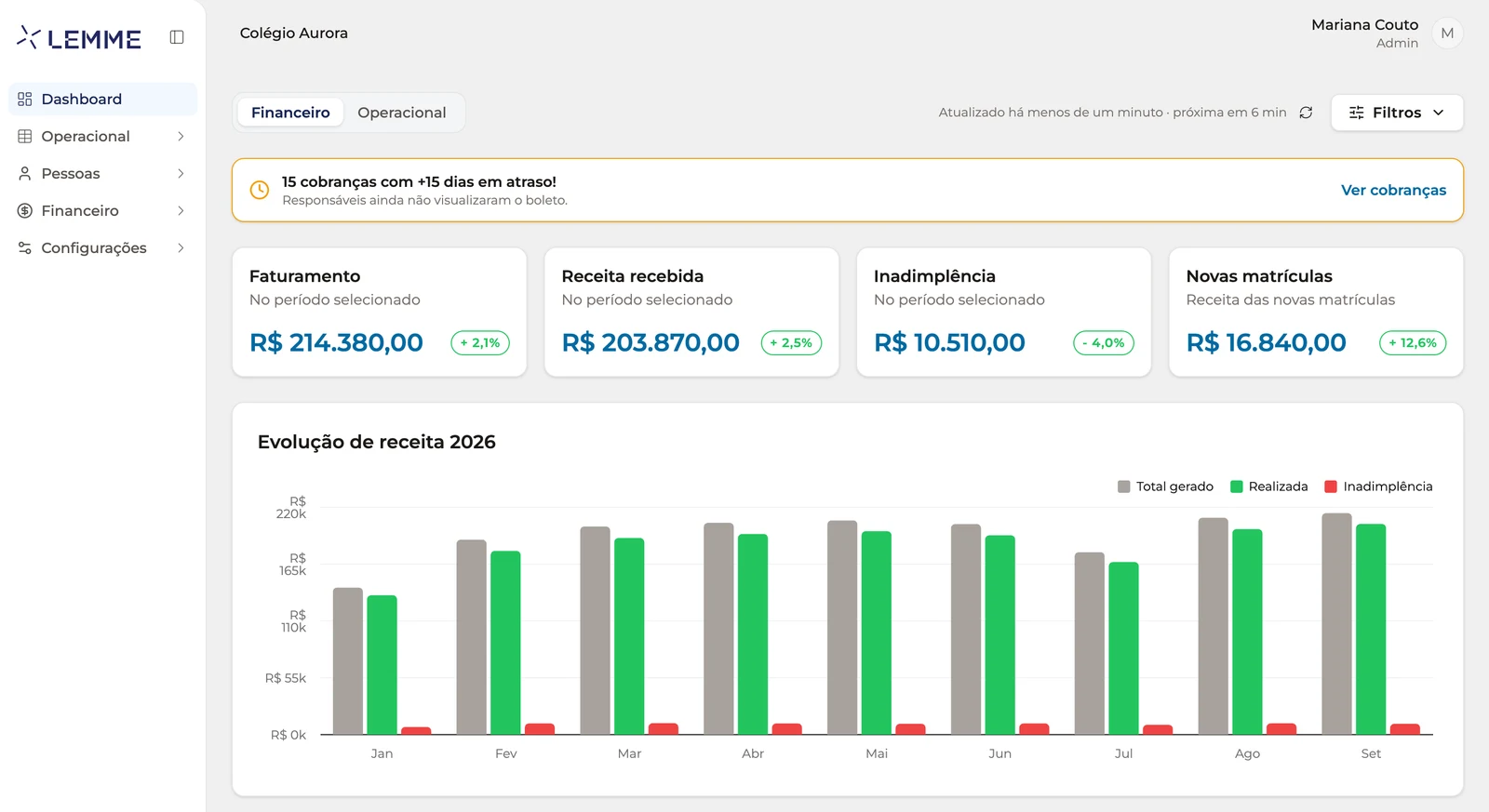
Real Lemme screens with a demo school, in Brazilian Portuguese.
Families handle it from their phone.
Your school gets a page with its own look, activities, classes and plans. Families pick a class, enroll with the student's tax ID and pay by PIX, card or boleto. A full class turns into a waitlist.

Pick the activity
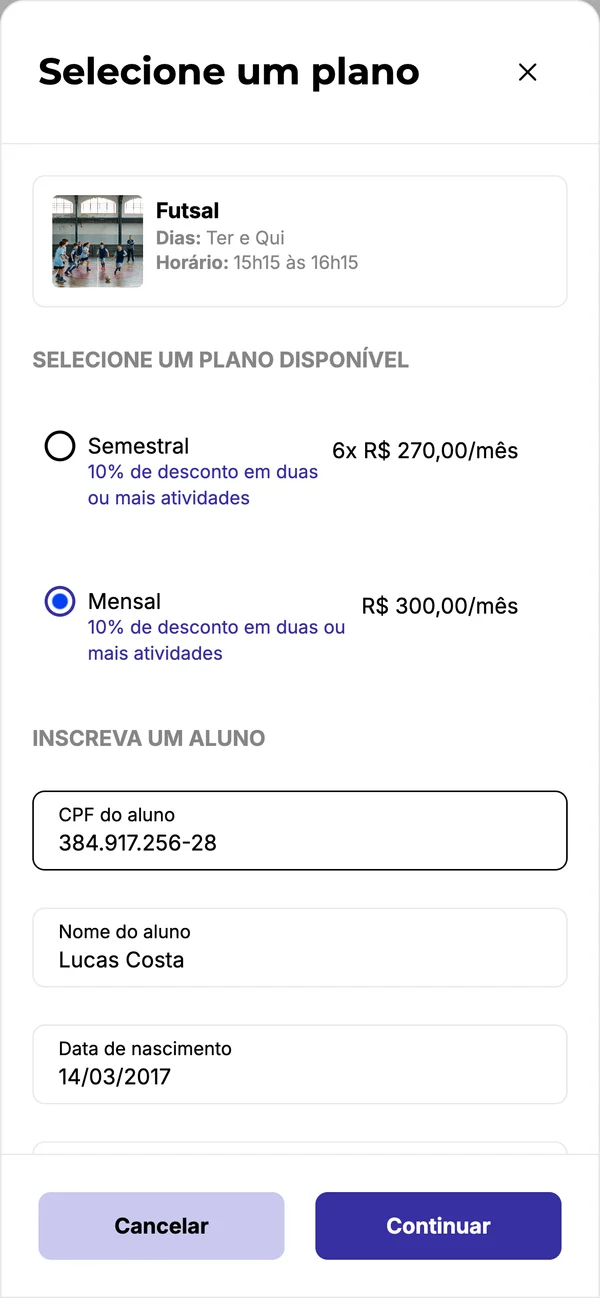
Enroll with a tax ID

Pay by PIX
The school sees everything, as it happens.
Enrollments, billing, waitlists and roll call in one dashboard. Billing repeats by itself with due-date reminders, and each payment arrives already split between the school and its teachers.
Stop paying tax on your teachers' money.
Without Lemme, the school receives the full tuition, pays tax on all of it, then passes the teacher's share along. With the split, the payment is divided at the source: everyone gets paid directly and is taxed only on what's theirs. Depending on the school's tax regime, the savings can cover Lemme's cost.
A screen for everyone at the school.
From the family that enrolls to the teacher taking roll call, each person sees only what they need.
 Families
March tuitionR$ 300.00Paid Enrollment and payment from a phone.
The school page shows activities, classes and plans. Families choose, pay and follow everything in the parent area.
- PIX, card or boleto
- Waitlist
- Trial classes
 Coordinators
Robotics · Tue/Thu18 of 20 seats Every class and seat on one screen.
Enrollments, class changes and the waitlist, with a history of every change and multiple units in one panel.
- Seats per class
- Multiple units
- Access roles
 Finance
Due-date reminderSent to 12 families Billing that happens by itself.
Recurring tuition with automatic reminders, gateway reconciliation and Excel, CSV and PDF reports.
- Recurring billing
- Reconciliation
- Reports
 Teachers
Roll call · Futsal12 present · 1 absentDone Roll call in seconds, from a phone.
The day's schedule, attendance by tap or NFC tag and the class history in the Teacher app.
- Teacher app
- NFC tag
- Class history
Illustrative images and data.
One enrollment, start to finish.
The family finds the activity, enrolls their child and pays from their phone. The school gets paid, the teacher gets their share, and the student shows up on the roll call.
Ready to put your after-school program on autopilot?
In a quick call, we'll show you Lemme running with your school's reality.
Frequently asked questions
Do I need to install anything?
No. The admin panel and the school page run in the browser. Teachers use the Teacher app on their phones.
Which payment methods can families use?
PIX, credit card and boleto. Monthly billing is recurring and automatic.
How do teacher and partner payouts work?
Each teacher or partner is registered as a recipient with their bank account. On every payment, the amount is split at the source according to the configured split, and each party receives their share directly.
Does it work for schools with multiple units?
Yes. Each unit has its own classes, prices and rules, all managed from one panel.
Who on my team can access the panel?
You set roles by function (administration, finance, assistants, coordinators and partners), and each person sees only what they need.
How much does it cost?
We walk you through the commercial model in the demo, based on the size of your operation.